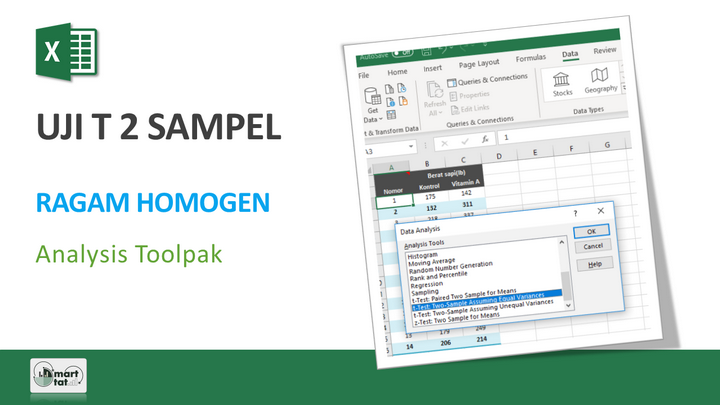
In statistics, there are four kinds of statistical t test ( t test ), namely:
- Test the hypothesis that the mean of the population is equal to a certain value
- Test the hypothesis for the difference in the mean of two random samples with the same variance ( t-Test: Two-Sample Assuming Equal Variances )
- Test the hypothesis for the difference in the mean of two random samples with unequal variances ( t-Test: Two-Sample Assuming Unequal Variances )
- Test the hypothesis for the mean of the sample in paired observations ( t-Test: Paired Two Sample For Means )
The following is a one-way student t-test tutorial to compare two median values of a random sample (population) with the same variance ( t-Test: Two-Sample Assuming Equal Variances ) using the Add-Ins Analysis Toolpak Excel. This t-test assumes that the two data groups come from a distribution with the same variance.
Excel tutorial: t test 2 population of homogeneous variance (one-way) you can learn more about it in the following video.

Excel Tutorial: T-test 2 homogeneous (one-way) population t-test
Hipotesis t-Test: Two-Sample Assuming Equal Variances (one tail):
H0 : µ1 = µ2
HA : µ1 < µ2 or µ1 > µ2
Excel tutorial: 2 population t test of homogeneous variance (one way)
Tutorial
If you are interested in the Excel Tutorial: T-test 2 population of homogeneous variance (one way) , please subscribe to the Smartstat Channel: https://youtube.com/user/smartstatistik
If you are interested in the Excel Tutorial: T-test 2 population of homogeneous variance (one way) , please subscribe to the Smartstat Channel: https://youtube.com/user/smartstatistik
You can learn a list of other Microsoft Excel Tutorials at the following link: